The Repository (The Repo)
This lesson is available in multiple formats. The core lesson is the same, so choose the format that fits your context right now.
📊 Prefer slides? Switch to the Slides tab above.
Your Project's Smart Vault and Time Machine
Prerequisites: A GitHub.com account. If you do not have one yet, click Sign up. It is free and takes only a few minutes.
Why does a beginner need Git? Without Git, you are only writing code. With Git, you are managing a professional project.
1. What Is a Repository (Repo)?
Imagine a normal folder on your computer. If you delete a file and save, it is gone. If you overwrite good code with bad code, you can lose the good version forever.
A Repository (Repo) is a smart folder with memory:
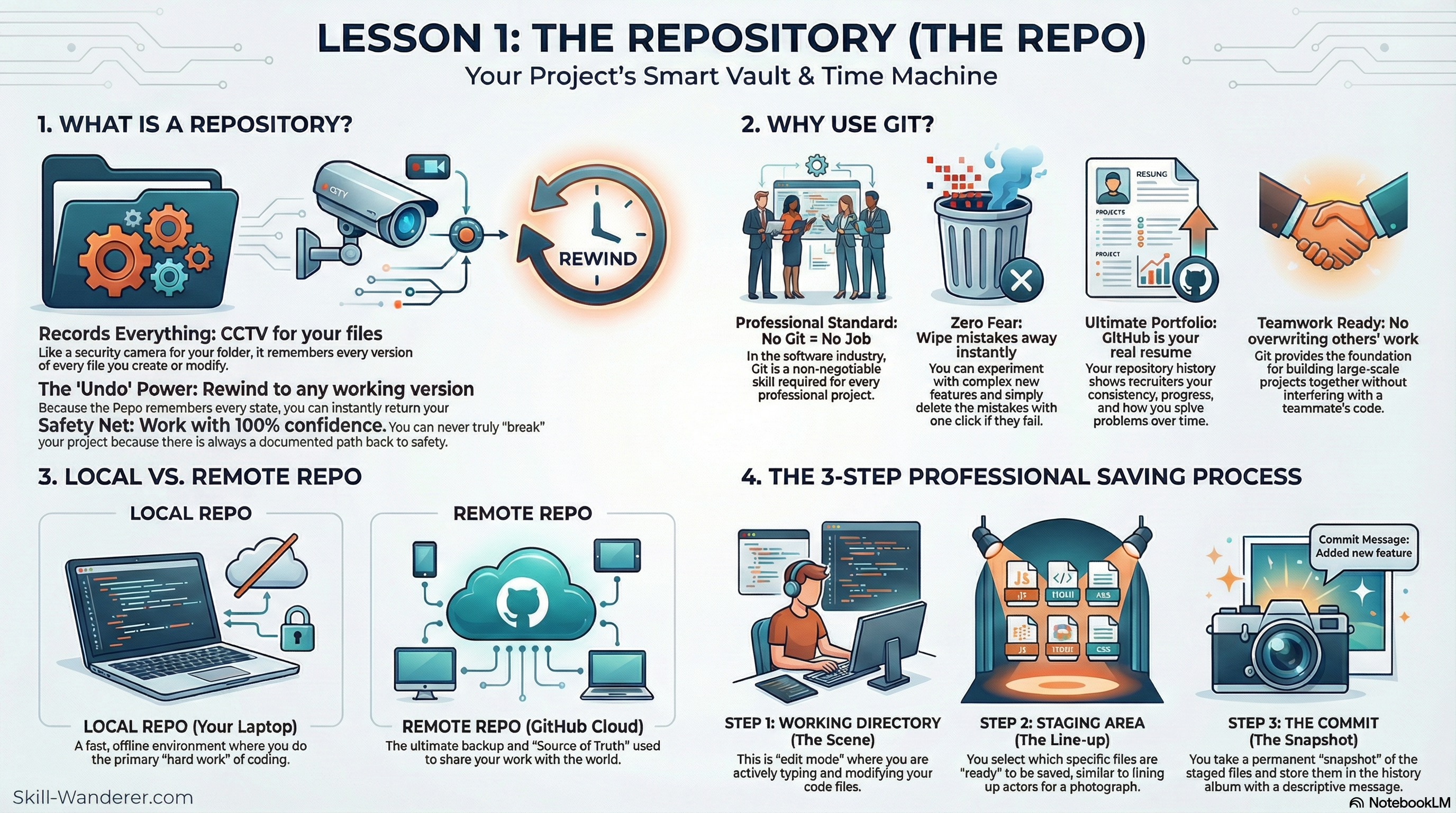
- Records Everything: It is like having a CCTV camera inside your folder. It remembers every version of every file.
- The Undo Power: Because it remembers everything, you can rewind your project back to any point in time when it was working.
- Safety Net: You can work with confidence because you can recover from mistakes instead of panicking.
2. Why Should You Use Git?
If you are still wondering if Git is worth the effort, this is why it is non-negotiable:
- Professional Standard: In the industry, Git is core infrastructure for teams.
- Zero Fear of Experimenting: Try risky ideas, then roll back cleanly if they fail.
- The Ultimate Portfolio: Your GitHub profile shows growth, consistency, and problem-solving over time.
- Teamwork Ready: Git prevents people from overwriting each other's work and enables real collaboration.
3. How to Create Your First Repo (The Easiest Way)
There are many ways to start, but cloud-first on GitHub is visual and beginner-friendly.
Create Your Cloud Home
- Go to GitHub.com and sign in (or create an account first).
- Click the New button.
- Repository Name: choose a clear name, for example
my-first-app. - Public or Private: choose Public to showcase, or Private for personal practice.
- Initialize: check Add a README file.
- Click Create repository.
Bring It to Your Computer
- On your new repo page, click the green <> Code button.
- Copy the URL.
- Open GitHub Desktop or VS Code and choose Clone Repository, then paste the URL.
- Result: you now have a smart folder on your laptop synced with the cloud.
4. Local vs. Remote
To work like a pro, always think in two locations:
- Local Repo: lives on your laptop. Fast, offline-friendly, and where daily coding happens.
- Remote Repo: lives on GitHub. It is your backup and the source of truth for sharing and collaboration.
5. The 3 Steps of Professional Saving
Saving in Git is not just Ctrl + S. It is a three-step workflow:
- Working Directory (The Scene): You are editing files.
- Staging Area (The Line-up): You choose exactly which changes are ready to save.
- The Commit (The Snapshot): Git captures that version forever with a message such as
Fix login button alignment.
6. Conclusion: Your Source of Truth
A repository is more than storage. It is your source of truth, and it records every meaningful change in your project journey.
- Traceability: Understand why a change was made, even months later.
- Stability: Your live code stays safer because rollback is always possible.
- Scalability: This is the foundation for branching, collaboration, reviews, and automation.
Mindset Shift: The moment you start treating your project as a repository, you move from hobby coding into professional software practice.