HTTP Status Codes Overview
This lesson is available in multiple formats. The content is the same - choose the one that fits your learning style and current environment. You do not need to complete all formats.
📖 Reading Version
HTTP Status Codes Overview
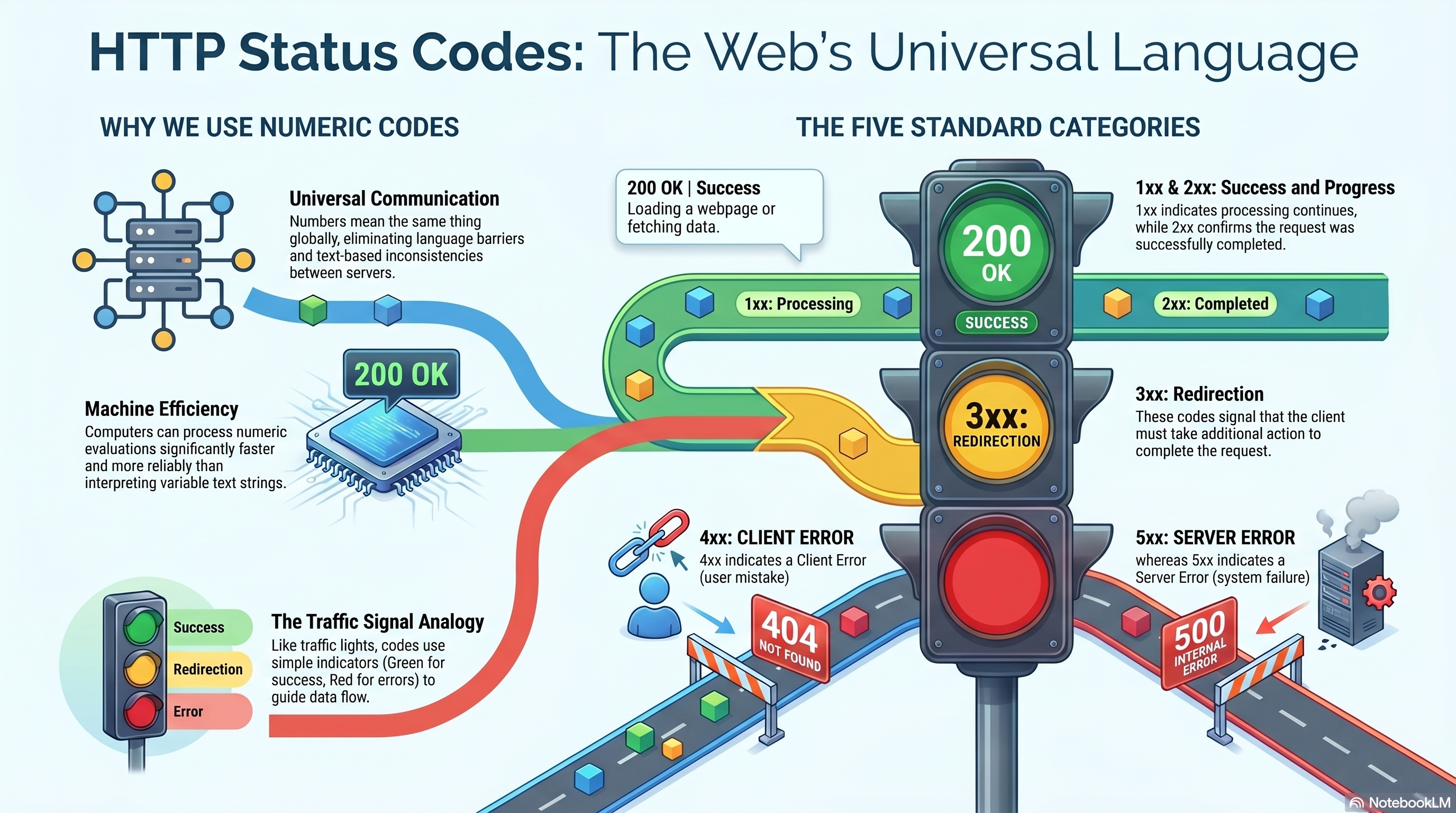
HTTP status codes are standardized messages used by servers to explain the result of a request.
Whenever a browser, mobile application, desktop application, or API sends a request to a server, the server responds with a status code.
This status code acts as a quick summary of what happened.
Think of it as the server's immediate answer:
- "Everything worked."
- "I created the data successfully."
- "You need to log in first."
- "I can't find what you're looking for."
- "Something went wrong on my side."
Instead of reading an entire response body, applications can look at the status code and instantly understand the outcome of a request.
The Problem Before Standardized Status Codes
In the early days of computer networking, systems often communicated using custom formats.
One server might return:
Success
while another might return:
Completed
and another:
Everything OK
Humans could understand these messages, but computers could not reliably interpret them.
Imagine building a browser that must communicate with millions of websites.
How would the browser know whether:
- The page exists
- The user needs to log in
- The request failed
- The server crashed
if every website used different words?
There needed to be a universal language that every browser, server, and application could understand.
The Birth of HTTP Status Codes
As the World Wide Web grew in the early 1990s, developers needed a standardized communication protocol.
This protocol became HTTP (HyperText Transfer Protocol).
One of the key ideas behind HTTP was:
Every request should receive a clear and predictable result.
Instead of returning arbitrary text messages, servers would return standardized numeric codes.
These numbers could be understood by any software regardless of programming language, operating system, or country.
A browser written in C, a mobile app written in Kotlin, and a backend written in Java could all understand:
200
means success.
Likewise, they could all understand:
404
means the resource was not found.
This simple system became one of the foundations of the modern internet.
Why Numbers Instead of Words?
You might wonder:
Why use numbers instead of plain English messages?
There are several reasons.
Numbers Are Universal
Words differ between languages.
For example:
English:
Not Found
Spanish:
No Encontrado
Japanese:
見つかりません
But:
404
means exactly the same thing everywhere.
Numbers Are Easy for Computers
Software can quickly evaluate:
if status == 200
or
if status >= 400
without having to interpret text.
This makes communication faster and more reliable.
Numbers Create Consistency
Whether you visit:
- Amazon
- GitHub
- Netflix
- A small personal blog
the meaning of:
200
remains the same.
This consistency is one of the reasons the web can scale globally.
Why Status Codes Matter
Without status codes, applications would have no standard way to determine whether a request succeeded or failed.
Every browser, mobile app, API client, and server would need to invent its own communication rules.
Status codes solve this problem by creating a shared language.
They allow applications to immediately understand:
- Was the request successful?
- Was new data created?
- Does the user need to authenticate?
- Does the requested resource exist?
- Does the user have permission?
- Is the server currently unavailable?
- Should the request be retried?
Instead of reading large amounts of data, applications can often make decisions using only the status code.
How Developers Actually Use Status Codes
In real-world applications, status codes are usually the first thing developers check when debugging.
For example:
If a request returns:
200
the developer knows the request succeeded.
If a request returns:
404
the developer immediately checks:
- URL
- Route
- Resource ID
If a request returns:
401
the developer investigates:
- Login state
- Access token
- Authentication configuration
If a request returns:
500
the developer looks at:
- Server logs
- Database connections
- Backend code
The status code often provides enough information to know where to start troubleshooting.
Status Codes Are Like Traffic Signals
A useful way to think about status codes is as traffic signals for the web.
Green light:
2xx
The request succeeded.
Yellow light:
3xx
The client needs to take another action.
Red light:
4xx
The request has a problem.
Emergency signal:
5xx
The server has a problem.
This simple system allows billions of devices around the world to communicate predictably every day.
In Simple Terms
HTTP status codes are the internet's universal response language.
They were created so that browsers, servers, mobile apps, APIs, and other software could communicate using a standardized system instead of custom text messages.
More than thirty years later, the same status code system is still used by virtually every website, web application, and API on the internet.
Whenever you see:
- 200 OK
- 404 Not Found
- 401 Unauthorized
- 500 Internal Server Error
you are seeing part of one of the oldest and most important communication systems that powers the modern web.
The Five Status Code Categories
Every HTTP status code belongs to one of five groups.
| Range | Category | Meaning |
|---|---|---|
| 1xx | Informational | Processing continues |
| 2xx | Success | Request succeeded |
| 3xx | Redirection | Additional action required |
| 4xx | Client Error | Problem with the request |
| 5xx | Server Error | Problem on the server |
The first digit immediately tells you the category.
Examples:
- 200 → Success
- 404 → Client Error
- 500 → Server Error
Common Status Codes (Know These First)
These are the status codes developers encounter most often.
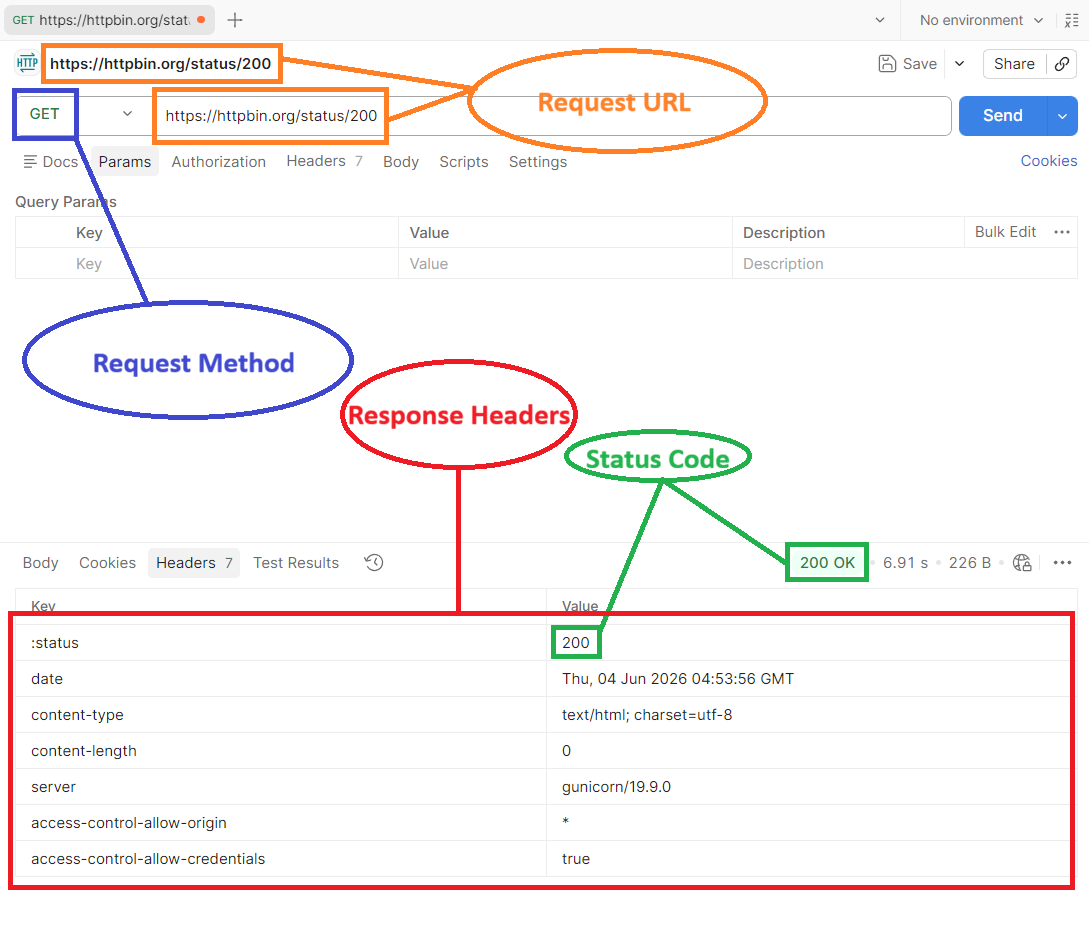
200 OK
Everything worked successfully.
Common situations:
- Loading user data
- Fetching products
- Viewing a page
- Running a search
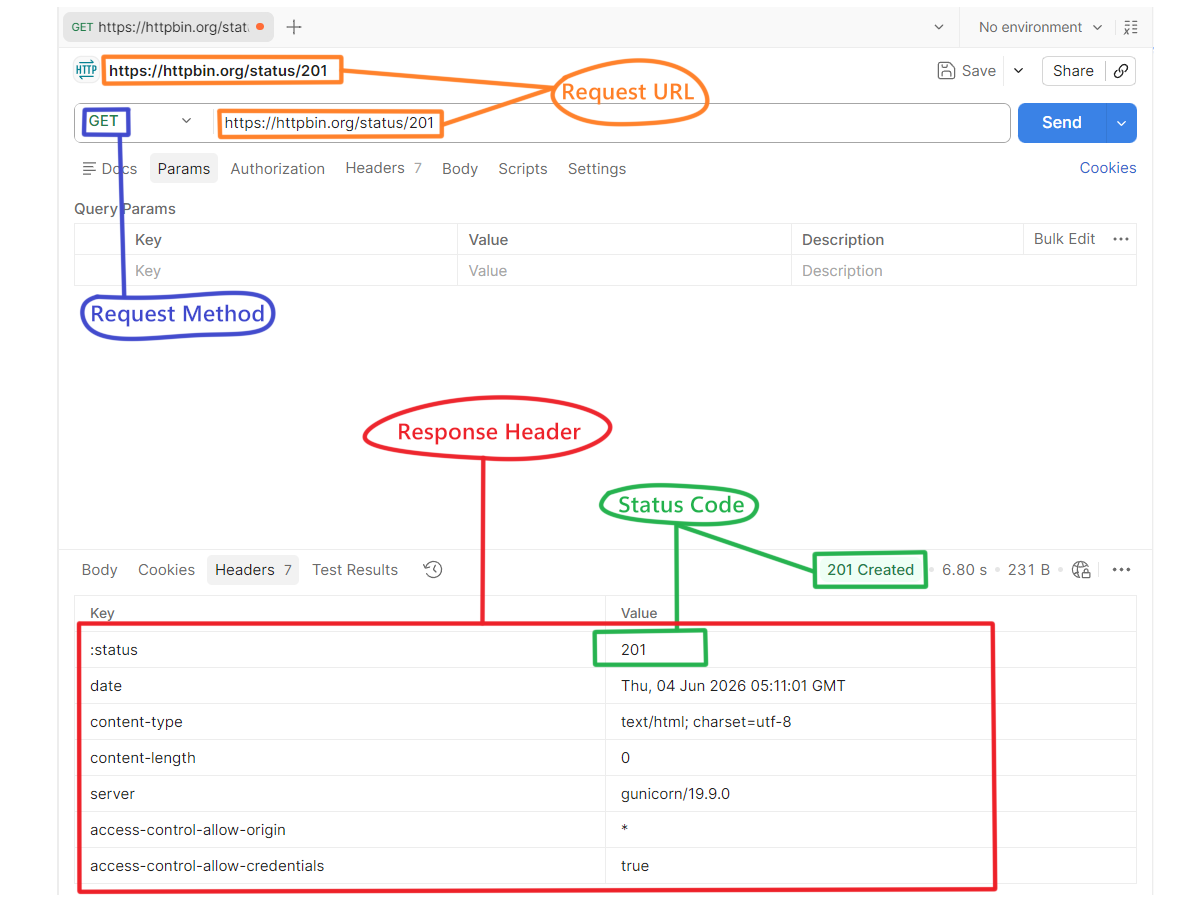
201 Created
A new resource was successfully created.
Common situations:
- Creating a user account
- Creating a blog post
- Creating an order
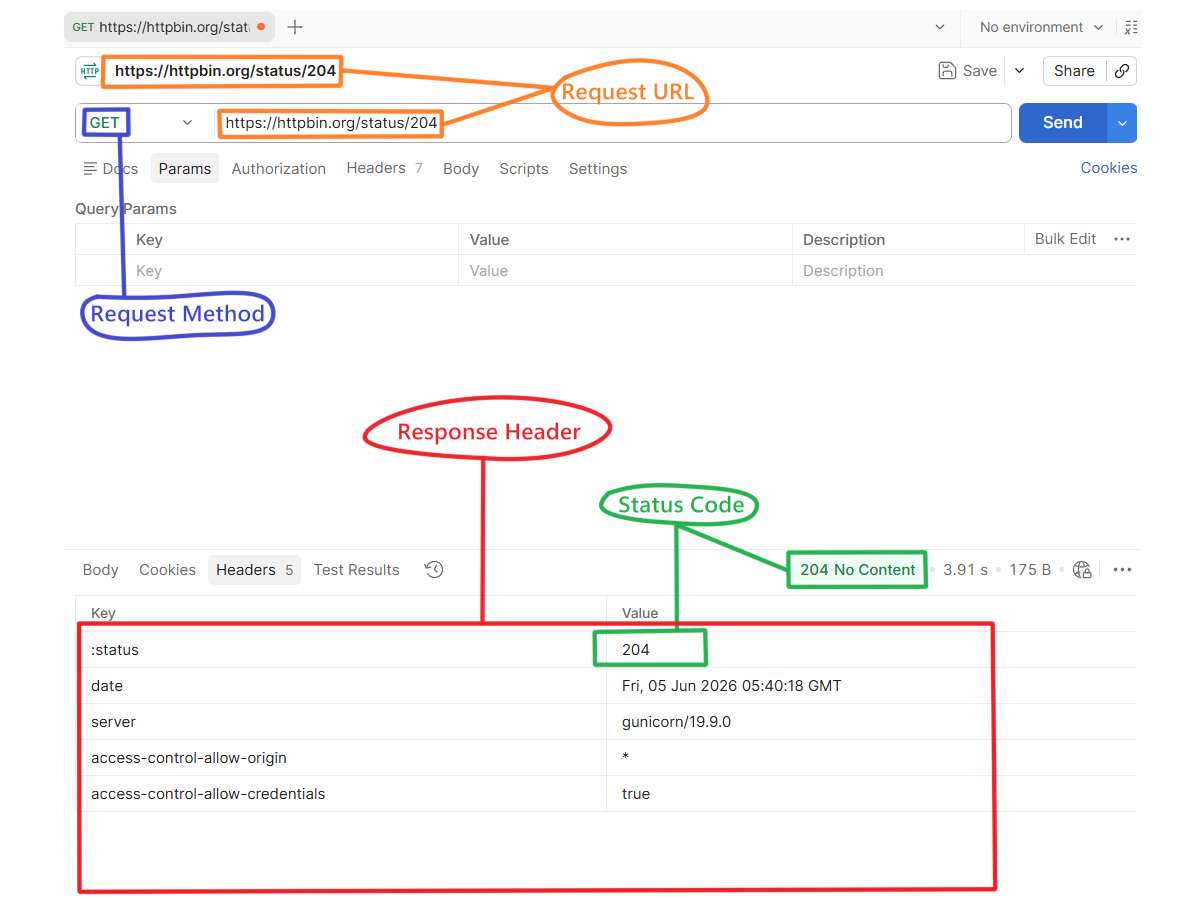
204 No Content
The request succeeded, but there is nothing to return.
Common situations:
- Deleting a record
- Completing an action without returning data
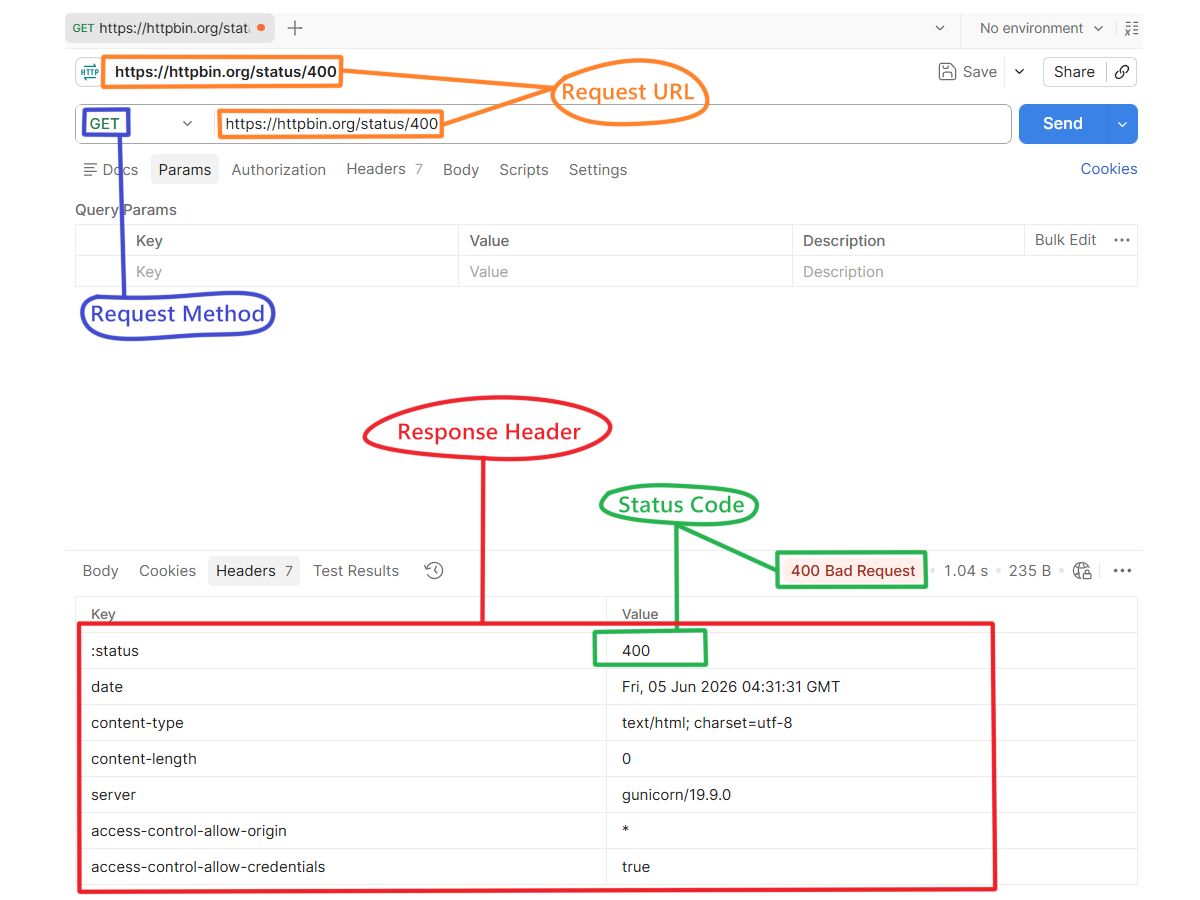
400 Bad Request
The request is invalid.
Common situations:
- Missing required fields
- Invalid input format
- Invalid JSON data
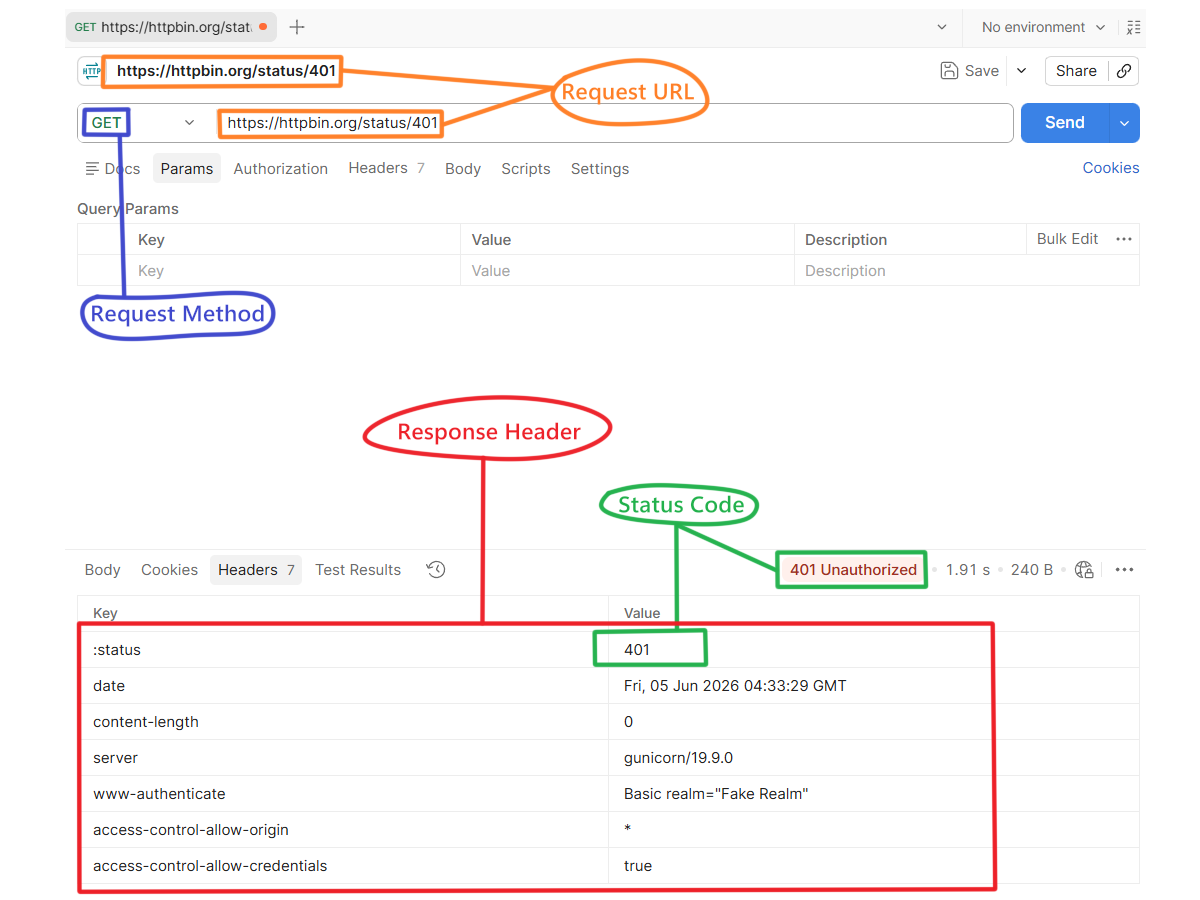
401 Unauthorized
Authentication is required.
Common situations:
- Missing access token
- Expired login session
- Invalid token
Think:
"Who are you?"
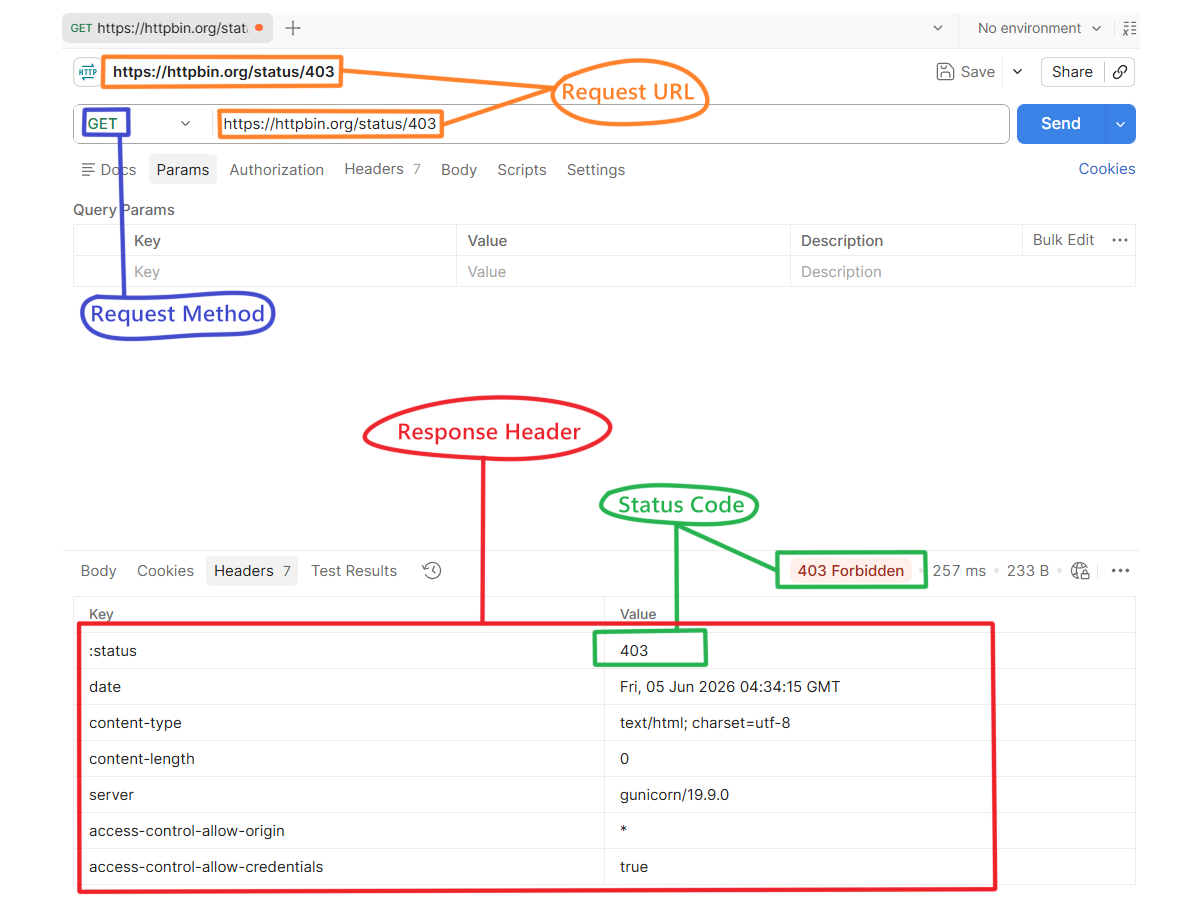
403 Forbidden
The user is authenticated but does not have permission.
Common situations:
- Admin-only pages
- Restricted resources
- Access control rules
Think:
"I know who you are, but you can't do this."
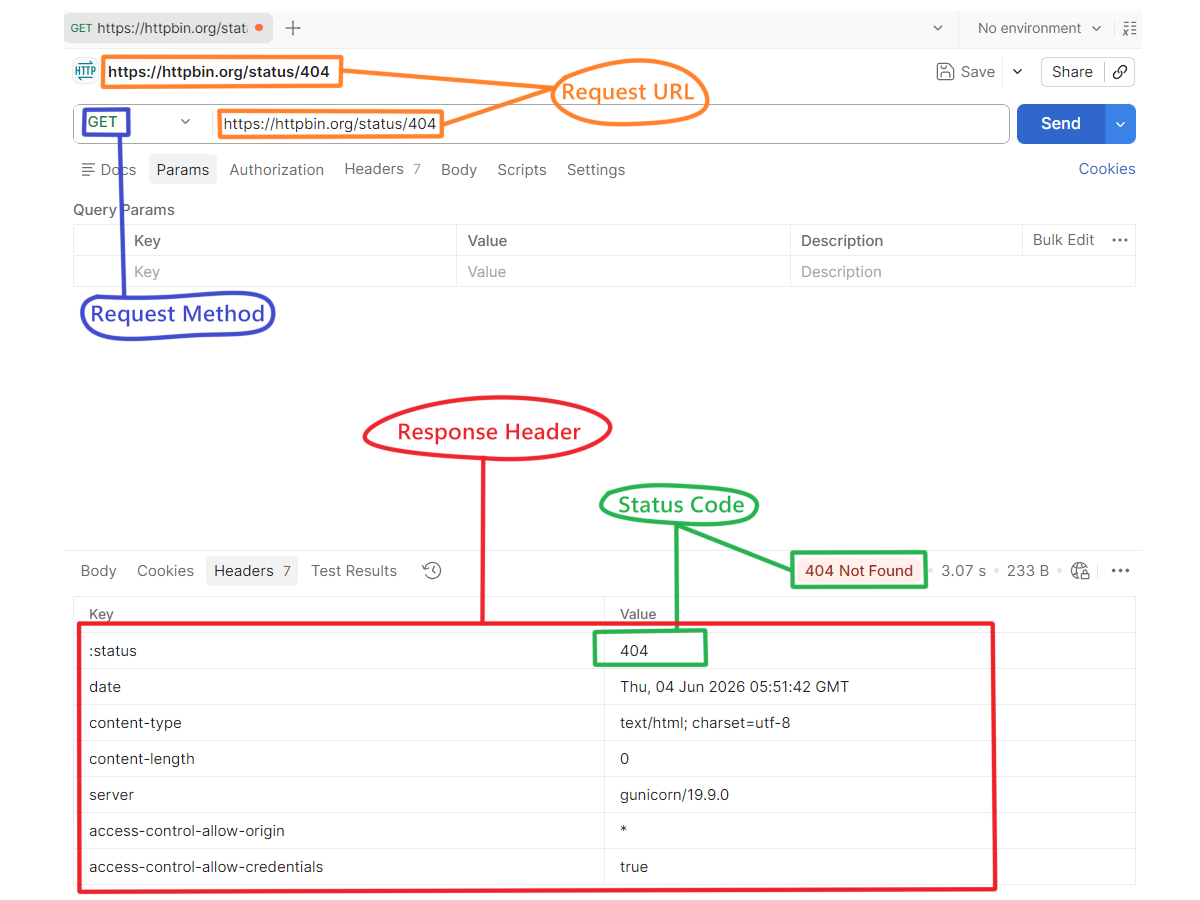
404 Not Found
The requested resource does not exist.
Common situations:
- Wrong URL
- Deleted record
- Invalid ID
This is one of the most common status codes on the web.
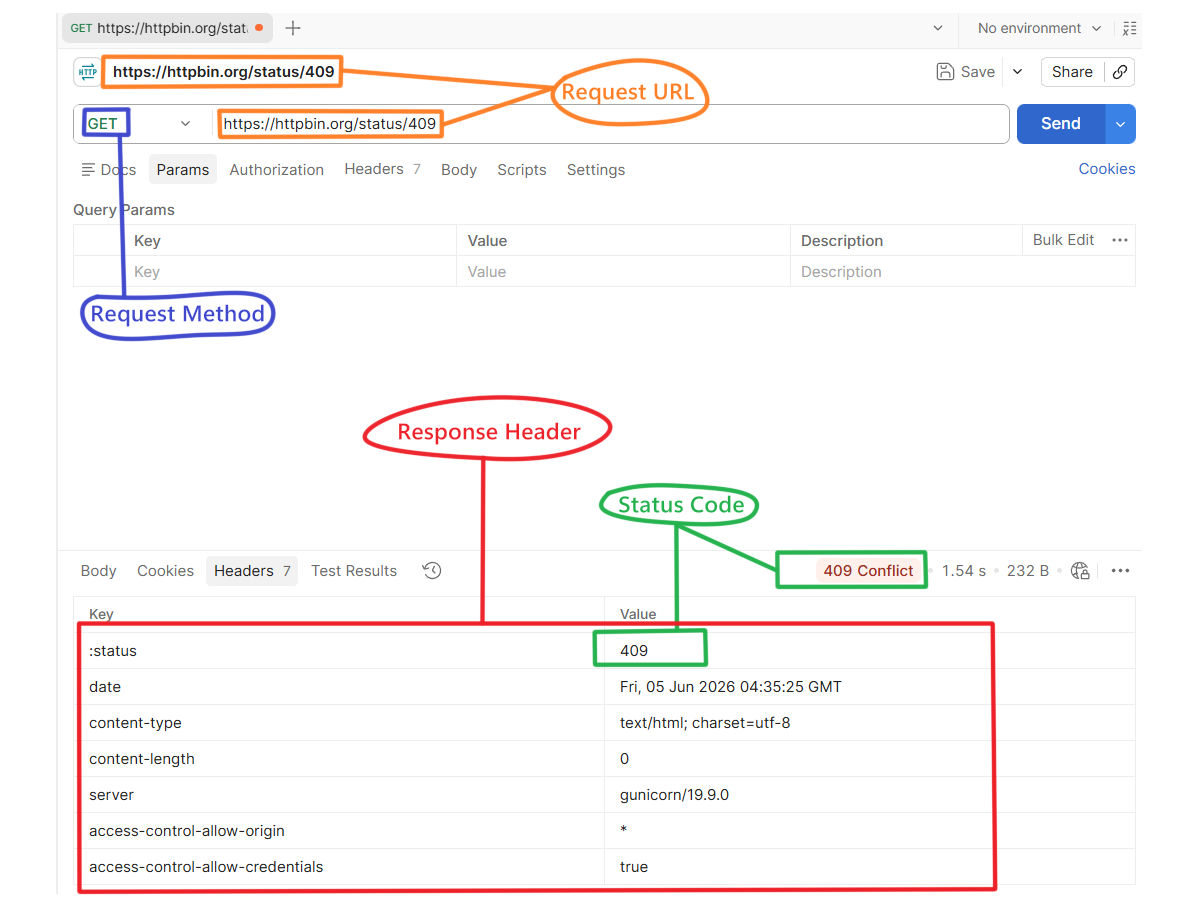
409 Conflict
The request conflicts with existing data.
Common situations:
- Duplicate email
- Duplicate username
- Duplicate unique value
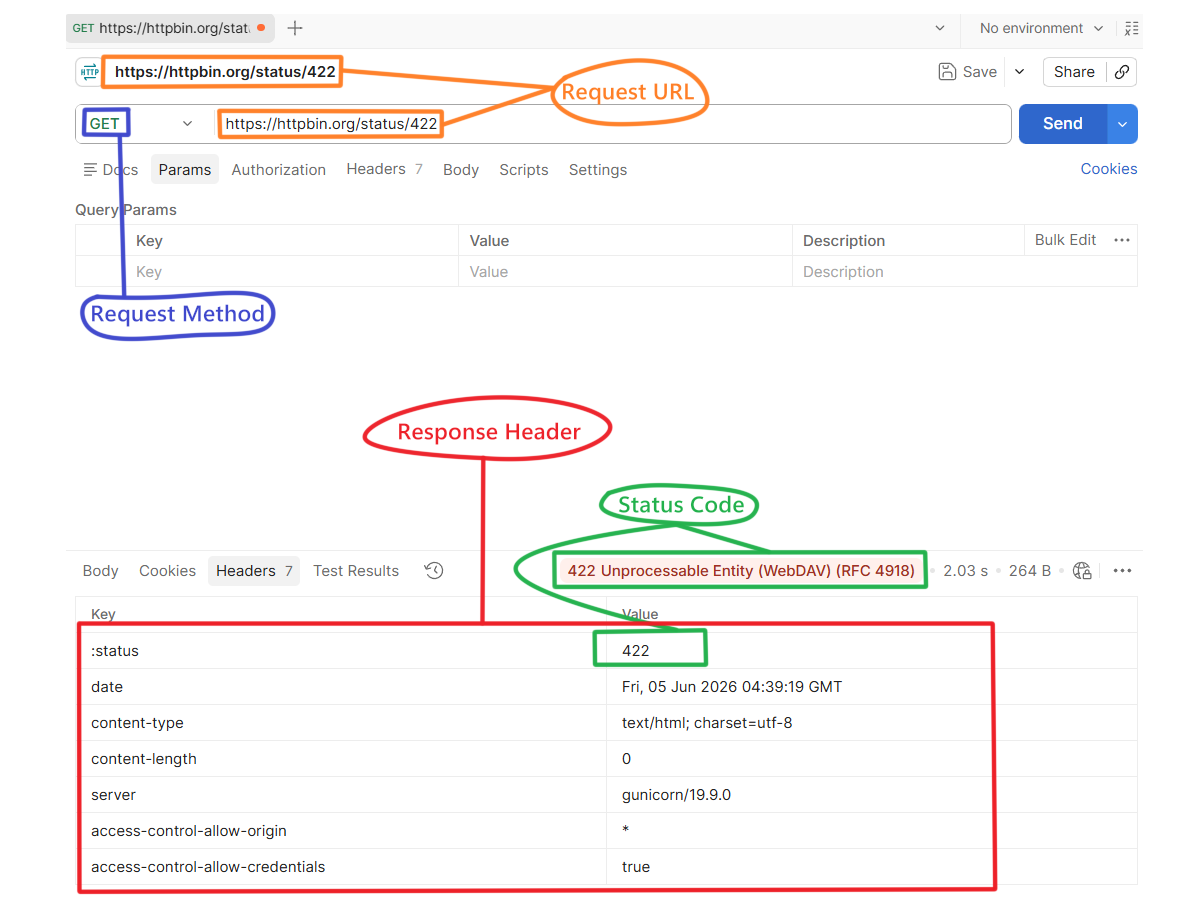
422 Unprocessable Entity
The request format is valid, but the data fails validation.
Common situations:
- Invalid email format
- Password too short
- Business rule validation failures
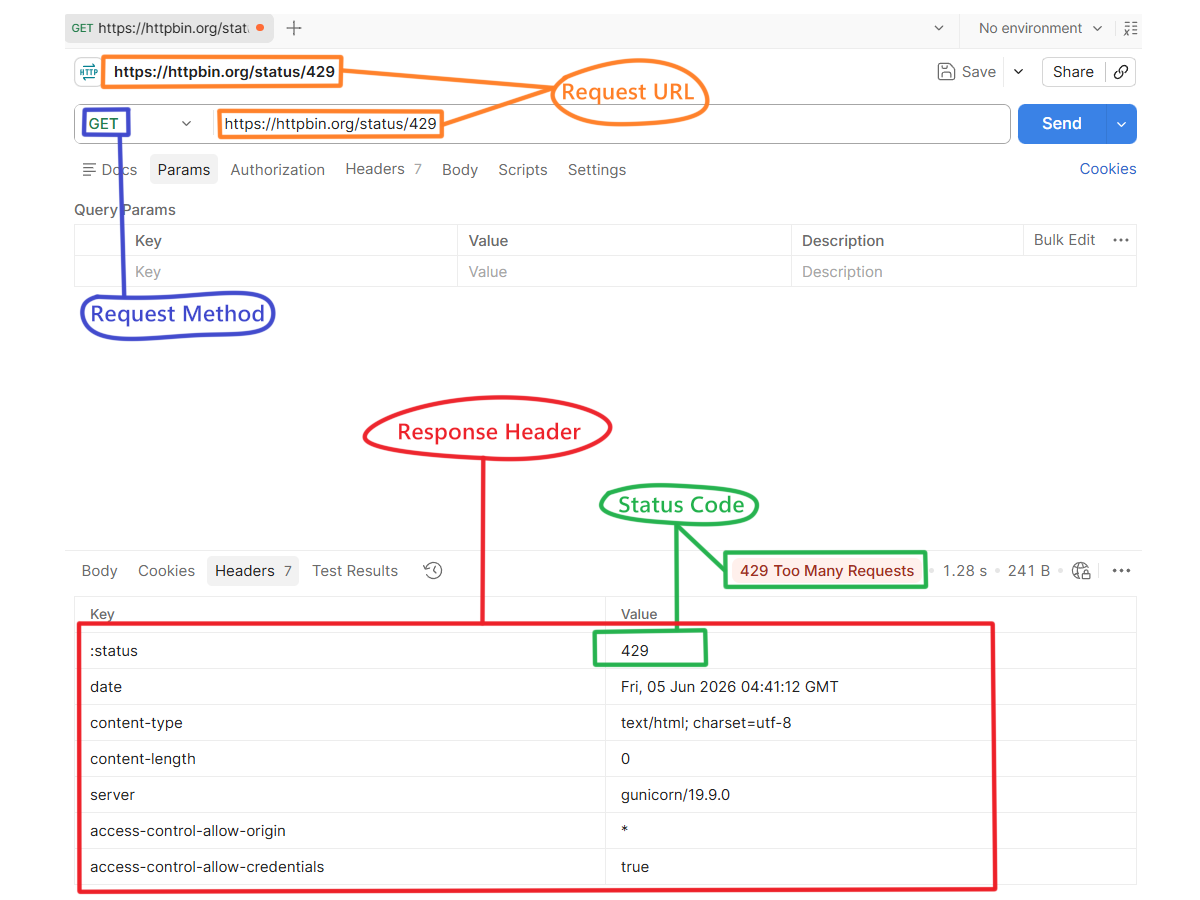
429 Too Many Requests
The client is sending too many requests.
Common situations:
- API rate limits
- Spam protection
- Excessive automated requests
Rare Status Codes (Good to Know)
These status codes exist in HTTP standards but are encountered less frequently than common codes such as 200, 404, or 500.
Most beginners can build entire applications without seeing some of these codes. However, understanding them helps when working with larger systems, APIs, proxies, caching, WebSockets, and enterprise applications.
100 Continue
The server has received the beginning of a request and is ready to receive the rest.
This status code exists to avoid wasting bandwidth.
Imagine a client wants to upload a 5 GB file.
Instead of immediately sending the entire file, the client can first ask:
"Are you ready to receive this upload?"
If the server responds with 100 Continue, the upload proceeds.
Usually seen during:
- Large file uploads
- Video uploads
- Streaming operations
- Enterprise systems handling huge requests
Most developers never manually work with this status code because browsers and HTTP libraries handle it automatically.
101 Switching Protocols
The server agrees to switch from one communication protocol to another.
HTTP is normally request-response based.
However, some applications require a persistent connection.
Examples:
- Real-time chat applications
- Multiplayer games
- Live dashboards
- Stock market updates
In these situations, the connection may switch from HTTP to WebSocket.
Usually seen during:
- WebSocket connections
- Real-time communication systems
- Live notification systems
Most frontend developers using libraries such as Socket.IO rarely see this directly.
202 Accepted
The server received the request successfully but has not completed the work yet.
Think of it like placing an order at a restaurant.
The waiter accepts your order immediately, but the food is not ready yet.
The server is essentially saying:
"I got your request. I'll process it later."
Usually seen during:
- Background jobs
- Queue processing
- Report generation
- Video rendering
- Email delivery systems
- AI processing tasks
Example situations:
- Generating a PDF
- Processing a large CSV import
- Training an AI model
- Sending thousands of emails
301 Moved Permanently
The resource has permanently moved to a new URL.
The server tells the client:
"This page has a new permanent home."
Browsers and search engines remember this redirect.
Usually seen during:
- Website migrations
- Domain changes
- SEO optimization
- URL restructuring
Example:
old-company.com → new-company.com
Search engines treat 301 as a permanent move.
302 Found
The resource temporarily exists at another location.
Unlike 301, this move is not permanent.
The server is saying:
"Use this other URL for now."
Usually seen during:
- Temporary redirects
- Login workflows
- Maintenance pages
- Seasonal campaigns
Example:
A user attempts to access a protected page but is temporarily redirected to the login page.
304 Not Modified
The requested resource has not changed since the client's last request.
This status code is mainly about performance.
Instead of downloading the same file repeatedly, the browser asks:
"Has this file changed?"
If the answer is no, the server returns 304 Not Modified.
The browser then reuses its cached copy.
Usually seen during:
- Browser caching
- CSS files
- JavaScript files
- Images
- Performance optimization
Benefits:
- Faster page loads
- Lower bandwidth usage
- Reduced server workload
Many developers see this frequently inside browser Developer Tools.
405 Method Not Allowed
The endpoint exists, but the requested HTTP method is not allowed.
The URL is valid.
The problem is the action being performed.
Usually seen when:
- Using POST instead of GET
- Using DELETE on a read-only endpoint
- Using PUT where only PATCH is allowed
Think:
"The destination exists, but you're using the wrong action."
Example:
A login endpoint may allow:
- GET
- POST
but reject:
- DELETE
406 Not Acceptable
The server cannot generate a response in a format requested by the client.
The client is asking for a specific format that the server does not support.
Usually seen when:
- Requesting XML from a JSON-only API
- Requesting unsupported content types
Most modern APIs return JSON, so this status code is relatively uncommon.
410 Gone
The resource existed in the past but has been permanently removed.
Unlike 404:
- 404 = "I can't find it."
- 410 = "It definitely used to exist, but it's gone."
Usually seen during:
- API deprecations
- Permanently removed pages
- Deleted resources
Useful when developers want clients to stop requesting an old resource.
413 Payload Too Large
The client sent more data than the server allows.
Usually seen during:
- Large file uploads
- Oversized request bodies
- Video uploads exceeding limits
Example situations:
- Uploading a 500 MB file when the limit is 50 MB
- Sending massive JSON payloads
415 Unsupported Media Type
The server does not support the format of data being sent.
Usually seen when:
- Sending XML to a JSON-only API
- Uploading unsupported file formats
- Using the wrong Content-Type header
Think:
"I received the request, but I don't understand this format."
Final Summary
HTTP status codes are the standard language servers use to explain what happened after a request.
For beginners, the most important thing is not memorizing every status code, but understanding what category the code belongs to and what action should be taken next.
When debugging APIs, always check the status code first before looking at anything else.